Forum Discussion

Printer only printing in a small strip after fresh Windows 11 install
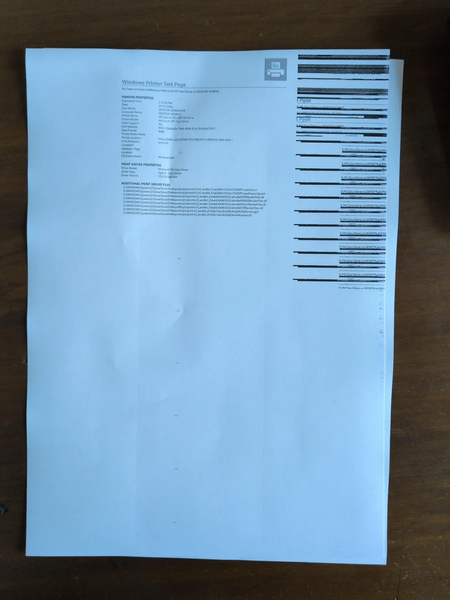

Because the Windows test page is also compressed into the right-hand strip, this is not an application or print-preview problem. The installation probably selected an incorrect driver or retained an unsuitable device configuration. First print the printer’s own configuration or self-test page from its control panel. If that page is also wrong, troubleshoot the printer hardware. If it is normal, remove the M126nw from Settings > Bluetooth & devices > Printers & scanners, restart both devices, and add it again. Run the printer troubleshooter in the Get Help app. In Printer properties, confirm the correct model and port; in Printing preferences, reset defaults, then select A4, portrait, one page per sheet, and 100% scaling. If Windows still uses a generic class driver, install the driver package for the exact HP model and Windows architecture, then print another Windows test page. Avoid changing application settings until that page prints correctly.