Forum Discussion

PIN Doesn't Work After a Windows 11 Restart; Account Is Locked
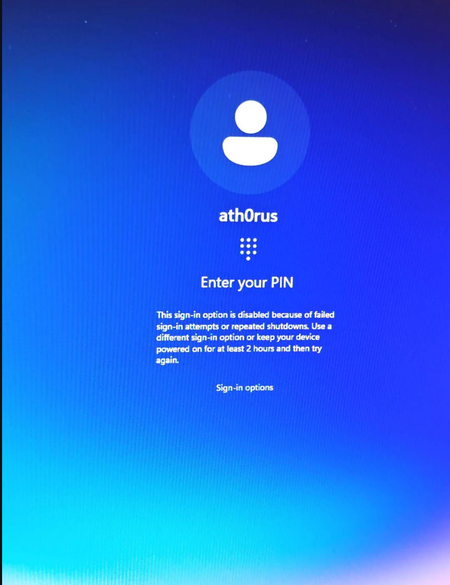

Your screenshot shows the PIN sign-in option temporarily disabled after failed attempts or repeated shutdowns. That is different from proving the local account itself is locked. The RemoteAccess registry location controls remote-access client lockout, so it is not the appropriate control for this screen.
Use Sign-in options to select your local account password if available. Otherwise, follow the displayed instruction to keep the device powered on for at least two hours before trying again; avoid repeated PIN attempts during that period.
To reduce typing errors, the sign-in screen's Accessibility button provides an On-Screen Keyboard. Once signed in, review Settings > Accounts > Sign-in options and consider compatible Windows Hello face or fingerprint hardware. Those methods can reduce reliance on entering the PIN accurately.
The Microsoft-account-only Hello setting suggested above does not apply to your local account. I would keep protection enabled and investigate unexpected lockouts rather than disable it.