Forum Discussion

Overly Aggressive User Account Control (UAC) Prompts
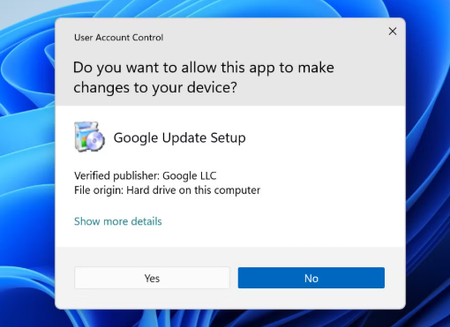

You're seeing repeated elevation prompts after changing the UAC slider, including prompts from applications you consider trusted. UAC appears when a process requests administrator privileges; signed software can still request elevation, and lowering the slider does not remove an application's manifest or elevated tasks. Do not disable UAC. Note the executable and publisher shown in each prompt, then check whether that program starts with Windows, runs an updater, or launches several helper processes. Update or repair it from its official installer and remove duplicate startup entries in Task Manager. If the publisher is unknown, deny the prompt and run a Windows Security scan. Restore UAC to its default level and test in a clean boot to identify a background conflict. If one legacy application alone causes the prompts, contact its vendor; Windows has no safe per-application “always allow” list for UAC. Treat an unfamiliar file path as a security warning.