Forum Discussion

My hard drive is encrypted with Bit Locker and I can't unlock it. What should I do
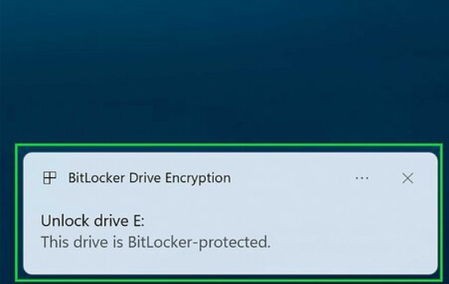

This situation usually happens when BitLocker detects a change in the system’s security state — for example after a BIOS/UEFI update, TPM firmware update, or certain Windows updates. When that happens, BitLocker may require the recovery key.
If the recovery key stored in your Microsoft account is reported as “incorrect”, there are a few likely causes:
✔ 1. The drive may have been re‑encrypted after the update
Some BIOS updates reset TPM measurements, causing Windows to treat the disk as a “new” encrypted volume.
In that case, the old recovery key no longer matches.
✔ 2. You may have multiple recovery keys
Microsoft accounts often store several keys for the same device (especially after reinstalls or hardware changes).
Make sure you check all keys listed under your device.
✔ 3. Secure Boot / TPM settings changed
If the BIOS update reset settings such as:
Secure Boot mode
TPM state (enabled/disabled)
Boot order
…BitLocker may reject the key because the platform configuration changed.
✔ 4. The disk might not be using the key you think
If you cloned, replaced, or re‑initialized the NVMe drive at any point, the recovery key in your Microsoft account may belong to the previous installation.
✔ What you can try
1. Check all recovery keys associated with your Microsoft account
https://account.microsoft.com/devices/recoverykey (account.microsoft.com in Bing)
Sometimes the correct key is listed under a different device name.
2. Enter BIOS and verify:
TPM is Enabled
Secure Boot is Enabled
Boot mode is UEFI, not Legacy
No “factory reset” of security settings occurred
Restoring these settings sometimes makes the original key valid again.
3. If the key truly doesn’t match
Unfortunately, BitLocker encryption cannot be bypassed.
If the recovery key is invalid and no other copy exists, the only option is to format the drive and reinstall Windows.
✔ Why this happens after updates
BitLocker relies on TPM measurements.
When BIOS/UEFI changes, the TPM thinks the system might have been tampered with and demands the recovery key.
If the update also resets TPM or Secure Boot keys, the old recovery key becomes invalid.