Forum Discussion

RonaldWhite
Mar 20, 2025Silver Contributor
MS Account on task bar on startup
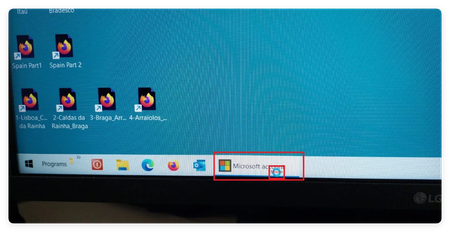
My wife's desktop computer has Win 11 23h2 Win 11 was installed on the computer with a local account and has no login password and as she is the only user, when the computer start it goes directly t...

HectorGrove
Mar 23, 2025Bronze Contributor
This issue is likely caused by a background Microsoft account sign-in prompt or sync process glitching during startup. Since the system uses a local account with auto-login, Windows might be trying to push MS account sign-in.
Fix suggestions (short):
Disable "Sign-in options" > "Automatically save restartable apps" in Settings → Accounts → Sign-in options.
Remove Microsoft account reminders: Go to Settings → System → Notifications → Turn off "Suggest ways to get the most out of Windows".
Disable OneDrive, Xbox, or other MS services from startup using Task Manager → Startup tab.
Create a new local user account to test if the issue persists.
Let me know if you want a step-by-step for one of these.