Forum Discussion

Eliasyuer
Oct 22, 2026Iron Contributor
I've tried many methods but can't delete the Win11 file.
The device is a Lenovo IdeaPad i3 running Windows 11. I've tried various methods to delete the file, but none have worked: the Delete key, Shift+Delete, dragging it to the Recycle Bin, logging out an...

CameronTaylor1998
Oct 22, 2026Iron Contributor
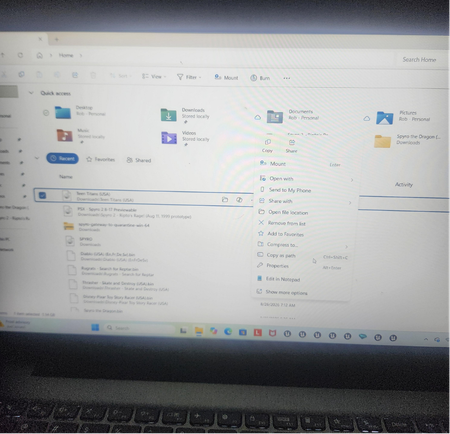
Your screenshot shows the file in Home > Recent. That’s a list of recently accessed files, not the folder where the file is stored.
Right-click it and choose Open file location, which is visible in your screenshot. Try deleting the actual file from that folder.
If Windows says the location or file no longer exists, the Recent entry may simply be outdated. Choose Remove from list to clear it from Home—this removes the entry, not an existing file.
If the actual file still won’t delete, please share the exact error shown there. Since the menu includes Mount, it appears to be a disk-image file; if it’s currently mounted, eject its virtual DVD drive under This PC before trying again.