Forum Discussion

AdaR3n
Feb 16, 2026Copper Contributor
Issue Printing in Color on Windows 11
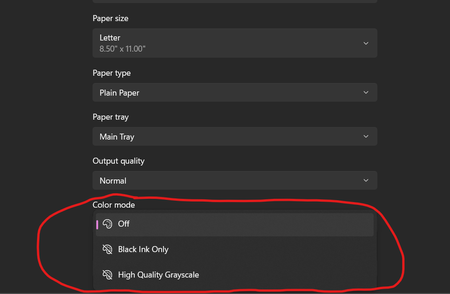
I am having an issue enabling color printing on Windows 11 for my HP OfficeJet Pro 6978 printer. I have tried uninstalling and reinstalling the printer several times, installed the latest printer dri...

JayJayson102
Feb 21, 2026Copper Contributor
- Click on the Window icon and open Settings
- In the setting click on Bluetooth&devices on the left pane.
- Click on the Printers&scanners
- From the list of installed printers, click the name of the printer you want to set up
- Click on the Printing Preferences
- Click on the Advanced option
- Click on the Color Printing Mode
- Choose the True Color option
- Click OK
if you cannot see the color option on advance option and share your findings.