Forum Discussion

Is it safe to delete this file from my desktop? (Microsoft.Services.Store.winmd)
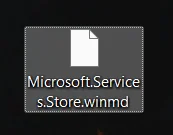

Microsoft.Services.Store.winmd is a Windows metadata file used by some Microsoft Store-related applications or development components. A required copy would normally be stored inside an application or system folder, not loose on the desktop.
If the file shown in your screenshot is genuinely located on the desktop, it is most likely a leftover file created or extracted during the Okular installation. You can test it safely:
- Right-click the file and select Properties.
- Confirm that its location is your Desktop or OneDrive\Desktop, rather than a Windows or application folder.
- Move it to the Recycle Bin instead of deleting it permanently.
- Restart Windows and test Okular and Microsoft Store.
- If everything still works, you can empty the Recycle Bin later.
Do not delete another copy with the same name from folders such as WindowsApps, Program Files or a Windows SDK directory.
If the file returns to the desktop, an installer or updater is creating it repeatedly. In that case, uninstall Okular and reinstall it from its official source. The timing suggests Okular may have created it, but the filename alone does not prove that.