Forum Discussion

I want to keep Windows 11 install
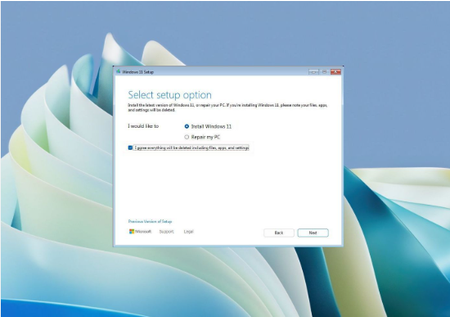

Replacing the motherboard means you are building a new computer. The key for the motherboard you are using now is not in the computer but in your Microsoft account. When you start it, it automatically activates through your account with the key that is linked to your account.
You can't clone the Windows you have now, you can only reinstall the original 25H2 version, which you download from the original Microsoft website and make a USB with the Media Creation Tool. The same applies here, you buy a key for Windows 11 RTM (Retail) that you find cheap, they will send it to you by email, you will activate the Motherboard with it during the settings, because it will definitely ask for the key, so the trick "I don't have a Product Key" will not work, but you will have to enter the key.
And what you take out, you don't have to do anything in the world with it, you just take it out and put the new one in. If, on the other hand, because it happens that the Motherboard you put in has a similar BIOS, and you set it up in the BIOS in the same way, and the mouse, keyboard, etc. that you put back in are on the same pins, then you can see the disk in the BIOS, and maybe the Boot Manager too.
By this I mean that in the BIOS you can choose "First Boot on Windows Boot Manager" i.e. the hard drive where Windows is. If so, your device will boot as if nothing had happened. However, you will need to enter the Key you bought for the new one afterwards, because it will not be activated.
Then you will see this new machine in your Microsoft account, it may take a day to initialize, but it will definitely be there. You will need to install all the drivers for the new Motherboard, and everything else in Windows again.
It's better if Secure Boot is enabled. Just do it the way it was in the old days, you see, it's important to have the time and date correct, etc...
So these two things are possible, either it will boot from the hard drive that is on it, or it won't. You will definitely need a key, and the 25H2 Original Windows USB. I think it will boot from the hard drive if you do it right.
https://www.google.com/search?q=windows+11+retail+prodoct+key&sca_esv=9ec4349fd935a51d&gl=us&hl=en&pws=0&source=hp&ei=hqwqapGoJYXuwPAPle_N8Ac&iflsig=AFdpzrgAAAAAaiq6lj9CjHP_YLOl4pK_qMpTaLkoLf5f&ved=0ahUKEwiRg6S4mv-UAxUFNxAIHZV3E34Q4dUDCB0&uact=5&oq=windows+11+retail+prodoct+key&gs_lp=Egdnd3Mtd2l6Ih13aW5kb3dzIDExIHJldGFpbCBwcm9kb2N0IGtleTIHEAAYgAQYDTIGEAAYFhgeMgYQABgWGB4yBhAAGBYYHjIGEAAYFhgeMgYQABgWGB4yBhAAGBYYHjIGEAAYFhgeMgYQABgWGB4yBhAAGBYYHkiglQFQAFjTjgFwAHgAkAEAmAGnAaAB-xSqAQQyMi43uAEDyAEA-AEBmAIdoAL2FsICBRAuGIAEwgIFEAAYgATCAgsQLhiABBjHARjRA8ICBRAhGKABwgIIEAAYBRgeGA3CAggQABgIGB4YDcICCxAAGIAEGIoFGIYDmAMAkgcFMTguMTGgB6HDAbIHBTE4LjExuAf2FsIHCjAuMS4yNC4zLjHIB78BgAgB&sclient=gws-wiz