Forum Discussion

I hope Windows 11 Search will bring back web results

The most common workaround is to use the Run dialog box (Win + R), paste or type the URL there, and press Enter. This has been confirmed to work normally and opens the link directly in your default browser.

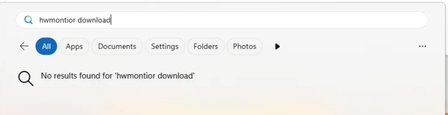
He is searching for HWMonitor. If not found locally as program on the PC (In this case he has not installed HWMonitor locally, so the result is empty.) Windows tries by using Bing by searching the internet for that program. In this case the normal and standard behaviour is turned off. He has to go to the registy-location that I mentioned earlier turn this on again. The whole idea is not to enter an URL (do you already know what kind of URL you have to enter? I think normally nobody. Not after searching with a browser for it. So that is pointless.) to search for that. Bing understands and will search for it online.
I for one have turned this option off. It's quite annoying while I am typing I see web results while I know I installed that program locally. I use this method instead of using the start-button. It's much quicker because after 3 letters it found it already. All I have to do is to press enter to start. Beats a manual search for it on alphabetical order for it. If it can't find a program then I know I haven't installed it locally and I will open a browser to look for it.