Forum Discussion

MarylandCrab
Aug 19, 2025Bronze Contributor
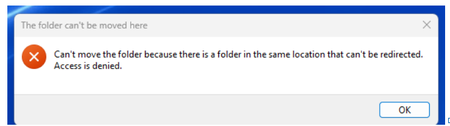
I can't move my files to the local drive
Last year, my computer had an issue with a port and it had to be sent back to Dell for repair. I backed up all my files to OneDrive before I sent it because I didn't have storage large enough to ...

Lenasob
Aug 22, 2025Iron Contributor
Sure thing. This is a classic OneDrive "Files On-Demand" issue—those grey X's mean the files are only online. Here’s the fix:
Right-click the OneDrive icon in your taskbar → click Settings → go to the "Sync and backup" tab → click "Advanced settings" → under "Files On-Demand," deselect "Save space and download files as you use them."
OneDrive will then download all your files back to your local drive. Once everything’s synced locally, you can safely unlink OneDrive and cancel your subscription without losing anything.