Forum Discussion

MarylandCrab
Aug 19, 2025Bronze Contributor
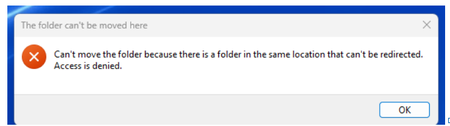
I can't move my files to the local drive
Last year, my computer had an issue with a port and it had to be sent back to Dell for repair. I backed up all my files to OneDrive before I sent it because I didn't have storage large enough to ...

Eliyorp
Aug 22, 2025Copper Contributor
It sounds like OneDrive is still set to cloud-only mode, showing placeholders instead of actual files. To move your files to the local drive, right-click the OneDrive icon in the system tray, go to "Settings," and make sure "Files On-Demand" is turned off. Then, select the files or folders you want and choose "Always keep on this device." Once downloaded, you can copy them to your local drive and unlink OneDrive from your PC.