Forum Discussion

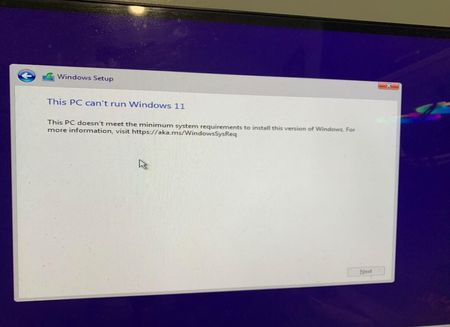
How to fix: "This pc doesn't meet the minimum requirements for Windows 11"
- Aug 14, 2025
I've encountered a similar problem before, and it took me a long time to solve it. It sounds like your hardware meets the requirements of Windows 11, but the installation process is still stuck. This situation is sometimes not a hardware problem, but the Windows installer itself is too strict in checking the system environment.
I finally solved it with WinBootsMate. This tool is a bit niche, but it works well.
https://www.smartpcguide.com/bypass-windows-11-minimum-requirements
It can help you skip some of the detection steps of Windows 11 and make the installation process go smoothly.


Pimentel150 i have another problem, my pc health check say that my pc meetts windows 11 requirements but when i go to setting and windows update, it tell me that my pc doesntt currently meet the minimum requirements

reynaldor I'm having this same problem. My year-old Dell laptop came with Windows 10 (a downgrade by choice), and soon after I got it, Windows Update changed from offering me the Windows 11 Update to showing the message about not meeting the minimum system requirements, which was clearly wrong. I just ran the PC Health Check, and it confirms this, saying "This PC meets Windows 11 requirements." Have you found a solution?