Forum Discussion

How to bypass windows 11 system requirements during installation on an old Laptop?
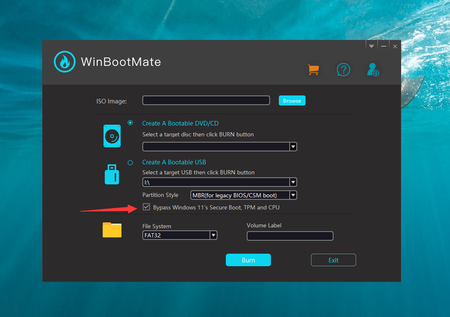
- Feb 21, 2024
Apparently, the CPU and RAM don't meet the Windows 11 system requirements. The CPU should be Intel 8th Gen and RAM should be 8GB or more.
One of the easier methods to install Windows 11 on unsupported hardware is to modify the Windows Registry during the installation process. This method involves creating a Windows 11 installation media, booting from it, and then making a registry change before the compatibility check.1. Go to the official Microsoft website to download the Windows 11 ISO file.
2. Use tools like Windows Media Creation Tool to create a bootable Windows 11 USB drive from the ISO file.
3. Boot your PC from the USB drive and start the Windows 11 installation process. Follow the prompts until you reach the screen where it says your PC can't run Windows 11.
4. Press Shift + F10. This key combination opens a Command Prompt window during the installation process.
5. In the Command Prompt, type regedit and press Enter to open the Registry Editor. Now, navigate to HKEY_LOCAL_MACHINE\SYSTEM\Setup.
6. Right-click on the Setup key, select New > Key, and name it LabConfig. Inside the LabConfig key, create new DWORD (32-bit) Value entries with the following names and values:
BypassTPMCheck and set its value to 1.
BypassSecureBootCheck and set its value to 1.
Create BypassCPUCheck and set its value to 1.7. Close Registry Editor and the Command Prompt, then continue with the installation process. The setup should now bypass Windows 11 system requirements.


ethex_official thank you for sharing specs. In this case your PC is fully compatible with Windows 11.
Please update your BIOS. This will usually change all settings required for security and you no longer need tricks. Download the latest Windows 11 23H2 iso from Microsoft and upgrade, keep files and settings.
Make sure the Windows 10 uses a Microsoft Account, passwordless at best (you can remove the password and switch to Microsoft Authenticator in the profile webpage.
Then leverage Windows Hello pin 4 or more digits which is the saved into the fTPM of your CPU.
Enable security features in Windows 11 like Core Isolation in Windows Security.
When using Edge, in Windows security App control enable the additional security features for MS Edge. It's still a Chromium Browser, including all extensions, like Google Chrome, Opera etc but offers better security.
If default bugs you you can change privacy settings and search engine or side bar.
Does this help? Do you have further questions?

Karl-WE I just ran into the same problem while finishing setting up a pc for my son and I was wondering if there anything I can do to fix it. I already upgraded the Bios
MB: primez390-a
GPU 2070 super
CPU I9-9900kf
16gb ram
I would really appreciate it if I can get some help with this
- Karl-WESep 17, 2024MVP
Anubis10 the HW does qualify in all aspects. If your BIOS is updated still some settings are not conform.
This is usually
- Enabling Virtualization
- Enabling vTPM 2.0 (in CPU security), SHA-256 and higher
- Enabling Secure Boot (correctly)
please run WhynotWin11 and post your result also the results from Microsoft W11 checker has a drawback once you are flagged incompatible it will not check again after changes made. It will around 30 days before it will realize changes. So WhyNotWin11 is a faster approach.
- Anubis10Sep 17, 2024Copper ContributorI did everything you recommended, and it says there's no storage found, and I'm stuck on the window installation page and can't finish setting it up
- Karl-WESep 17, 2024MVP
Anubis10 I wonder how you get there?
If you are trying a fresh installation please make sure that you are seeing the storage devices in UEFI setup like SSD, HDD or NVMe.Sometimes I had the point that a UEFI update enabled Intel VMD (newer mainboards) or Intel RST (older mainboards), an artificial RAID driver. This feature is usually not helpful. I would disable VMD and this will fallback to AHCI which then leads to Windows Setup showing your SSD, HDD or NVMe drives again.
Do not change this if your Windows is installed with these settings activated, otherwise you will render them non bootable and receive a STOP 0x7B error INACCESSIBLE_BOOT_DEVICE