Forum Discussion

Matthiasar
Dec 25, 2025Iron Contributor
How do I stop Microsoft from installing LinkedIn on my pc?
I want to know how to prevent Microsoft from automatically installing LinkedIn on my PC. Every time I update Windows or install new features, LinkedIn keeps being added without my consent, and I ...

ColoradoRiver
Dec 30, 2025Platinum Contributor
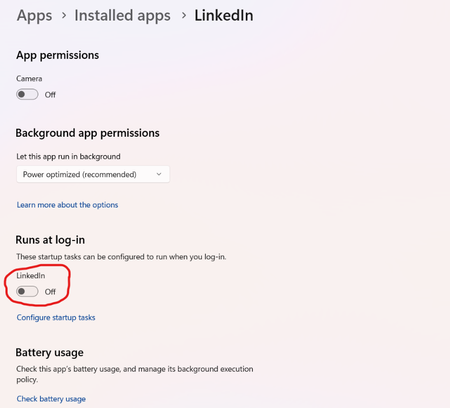
To prevent LinkedIn from being installed in the future, follow these steps:
- Open the Settings app: Click on the Start button and select "Settings."
- Go to Apps: Click on "Apps" from the Settings menu.
- Click on "Manage Optional Features": Scroll down and find the "Manage Optional Features" option, and click on it.
- Disable LinkedIn: Look for LinkedIn in the list of optional features, and toggle off the switch to disable it.
- Confirm: Confirm that you want to disable LinkedIn by clicking "OK."