Forum Discussion

Forgot MS password

1.Select “Sign in”: Click on the "Sign in" button.
Choose “Forgot password?”: On the sign-in page, you'll see a link for “Forgot password?” Click it.
Enter your email or phone number: Provide the email address or phone number associated with your Microsoft account and follow the prompts.
2. Verification method: Microsoft will send you a verification code via email or SMS, depending on what recovery options you have set up. Choose the method you prefer and click “Send code”.
3.Check your email or SMS: Retrieve the code sent by Microsoft.
Enter the verification code: Input the code on the Microsoft page to verify your identity.
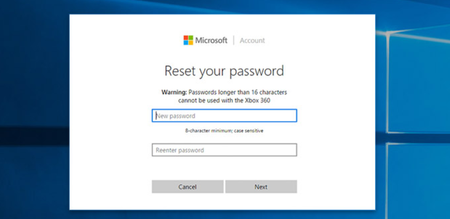
Set a new password: Once verified, you’ll be prompted to enter a new password. Make sure your new password is strong and secure.
Complete the process: After setting your new password, you'll be able to sign in with it.