Forum Discussion

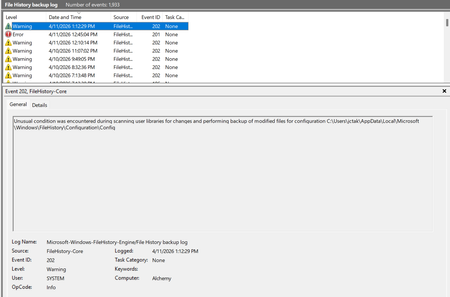
File History has stopped functioning

Whelp, I gave up and downloaded a free backup program. So that's the only advice I can give...... it works well! Microsoft won't let me post the name of it here lol
BUT...... today my wife ran the latest updates on her computer and guess what? File history doesn't work for HER anymore either!!!! It keeps saying "files will be backed up to your computer until you connect your backup drive", even though it says right on the screen it is connected. so i reselected the drive and file history turned it self off, and now the "turn on" button does nothing. Certainly seems the process has been corrupted and won't work anymore.
Honestly wondering if microsoft killed it on purpose because they want to sell cloud storage to people.
 SeniorMoment77Sep 19, 2026Tin Contributor
I have a cynical point of view. I agree with the sentiment expressed by you (and others) that Microsoft has ignored File History because they want people to backup files through OneDrive.
 cjthelderSep 11, 2026Brass Contributor
I gave up relying on filehistory long ago. I, too, have an online backup service -- Carbonite -- which includes Webroot, IMO, an excellent antivirus. I check filehistory once in a while, just to see how it's doing: although it may have some important files saved, I don't think it would be sufficiently comprehensive in an emergency. FWIW.
- SeniorMoment77Sep 19, 2026Tin Contributor
Yes, I have heard of Carbonite. I use iDrive.
