Forum Discussion

File History has stopped functioning
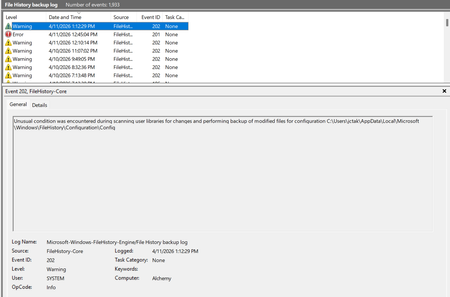

My last Successful FileHistory backup was 20July. This was the same time as KB101650 installed.
There are no files written to external drive.
```
Get-HotFix -Id KB5101650,KB5121003 -ErrorAction SilentlyContinue | Format-Table HotFixID,InstalledOn,Description
HotFixID InstalledOn Description
-------- ----------- -----------
KB5101650 20/07/2026 12:00:00 AM Security Update
fhmanagew.exe -backupnow does nothing.
I have reviewed all configurations. There is nothing remarkable in the eventlogs.
 PhilsFileHistorySep 13, 2026Brass Contributor
Ya, when I un-installed KB101650 a few weeks ago, FileHistory worked for a short time until I installed some Windows Updates later. I'm done trying to get it to work.
 sheratonAug 29, 2026Iron Contributor
My situation is slightly different from yours. My last backup was on July 28th, and the problem arose after I updated KB5101684:
- Files can still be backed up to the D: drive normally.
- The Last Backup time in the File History is not updating correctly.
- Newly created or saved Word documents, images, videos, etc., still show No previous version available in Content → Previous Versions.
- PhilsFileHistorySep 15, 2026Brass Contributor
Welcome to the club! You are now a member of an elite Windows group.
btw, Thanks for your post.