Forum Discussion

File History has stopped functioning
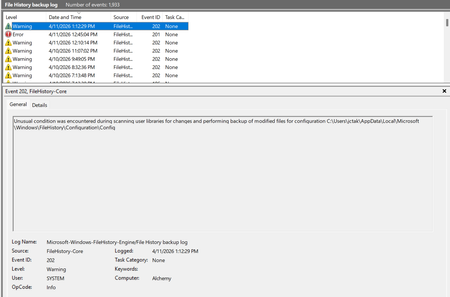

Hello, I'd like to ask if there's been any issues with the file history feature in Windows 10 or Windows 11 after the recent update?
I've encountered this problem on two different computers:
Windows 11 25H2 — KB5101684, installed July 29, 2026
Windows 10 22H2 — KB5120249, installed August 12, 2026
Backup files are still being written to my D drive, so the backup process itself seems to be running. However, the file history doesn't correctly reflect the latest backup status, and "Previous Versions" doesn't show the file versions of newer backups.
I didn't make any changes before installing KB5101684 or KB5120249. The problem only appears after installing these updates.
Interestingly, I found that reselecting the backup drive temporarily restored normal functionality: Control Panel → File History → Select Drive → Select D: drive again
Afterward, the file history resumed updating normally.
Since I encountered almost the same problem on two different systems after two updates, I'm wondering if this is related to a common Windows component or a recent regression.
I've submitted a report through the Feedback Hub but haven't received a response yet.
If you've also encountered a similar situation, especially after installing the aforementioned updates, please share your experience or write to Windows Latest. It would be even better if Microsoft could determine whether these updates affected the file history functionality.