Forum Discussion

Takket
Apr 11, 2026Brass Contributor
File History has stopped functioning
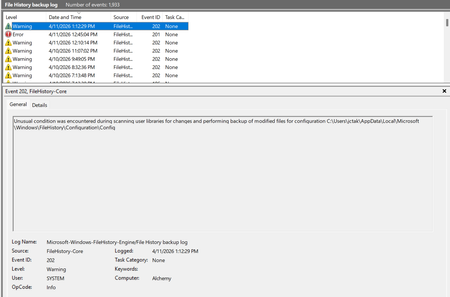
My file history program has stopped functioning. I tried searching the internet for some of these error messages and I have not found anything that has a solution that works. I tried deleting the bac...

Aaravov
Apr 14, 2026Iron Contributor
Since you've already tried resetting File History manually, the most likely cause is corrupted Windows system files. The built-in SFC and DISM tools can find and repair these hidden issues.
 PhilsFileHistoryAug 02, 2026Brass Contributor
I'm having the same problems. How do I run these: "built-in SFC and DISM tools can find and repair these hidden issues".
also:
So I ran SFC and it did find a couple unrelated file problems - It did not fix the File History though.
 sheratonAug 24, 2026Iron Contributor
My situation is different from yours. This problem only appeared after I installed KB5101684.
I executed the DISM ScanHealth and CheckHealth commands. The component storage area was not corrupted, so I did not need to execute the RestoreHealth command.