Forum Discussion

File Converter missing from Windows 11 right-click context menu
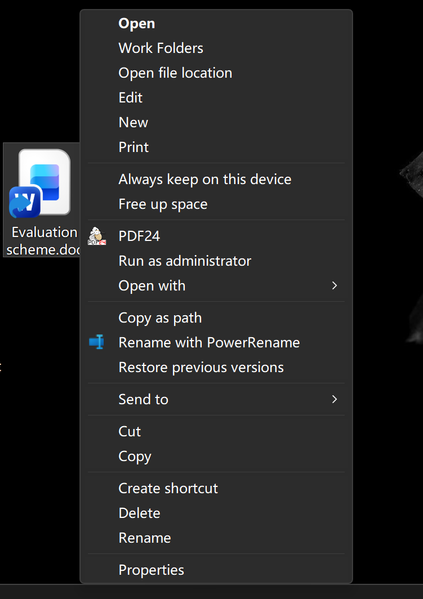

The screenshot confirms that Windows is showing the extended context menu and that other third-party handlers, including PDF24 and PowerRename, still load. “File Converter” is not a built-in Windows 11 command; it is registered by the separate File Converter application. In ShellExView, remove any filters, sort by Product Name or Company, locate the handler belonging to File Converter, enable it, and restart Windows Explorer. If no matching handler exists, its COM registration was probably removed, so repair the application under Settings > Apps > Installed apps or reinstall the current version from its original publisher. Test a file type the converter explicitly supports after reinstalling. Do not manually invent or copy a CLSID registry entry, because the application’s installer must register the correct executable path and 32-bit or 64-bit handler. If the command appears only under Show more options, that is normal for legacy context-menu extensions.