Forum Discussion

AsherReed
Jan 27, 2026Iron Contributor
Error 0xc1900101 in Win11 Update
Hello, I'm trying (desperately ) install Windows 11 from Windows 10. On each attempt I get a blue screen (around 75-77%) with the error code 0xc1900101. my PC is Windows 11 compatible (up...
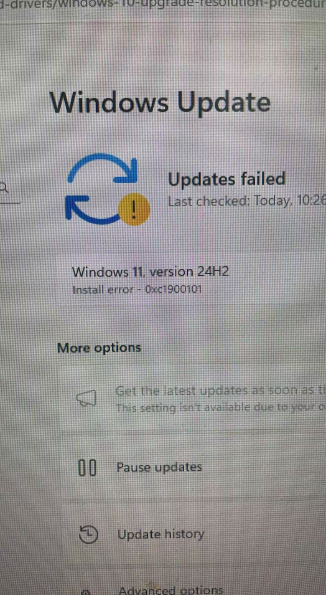

broosted
Feb 06, 2026Copper Contributor
same problem tried this windows fix 5 times no use
 Subha5Jul 27, 2026Copper Contributor
The error 0xC1900101 is usually related to a driver, BIOS, or hardware compatibility issue during the Windows upgrade. Since you've already tried most of the common troubleshooting steps, here are a few additional things you can check:
- Make sure you have at least 30–40 GB of free disk space before upgrading.
- Temporarily uninstall any third-party antivirus or security software.
- Disconnect any unnecessary internal hardware (if applicable), such as additional SSDs or PCIe cards.
- Check Device Manager for any devices showing a warning icon and update or temporarily disable those drivers.
- If you're using MSI X470 Gaming Plus, verify that you're running the latest BIOS version recommended by MSI for Windows 11 compatibility.
- As a last resort, create a Windows 11 USB installation media using Microsoft's Media Creation Tool and perform an in-place upgrade by running setup.exe from the USB while Windows 10 is running. This often succeeds when Windows Update fails.
If the upgrade still stops at 75–77%, it would also be helpful to review the setup logs (C:\$WINDOWS.~BT\Sources\Panther) to identify the specific driver or component causing the rollback.
Disclosure: I work with https://iroyalssystems.in/, an IT Sales & Services company. Based on our experience, this error is most commonly caused by a driver or BIOS compatibility issue rather than a problem with Windows itself.