Forum Discussion

DravenPierce
Mar 20, 2025Iron Contributor
Downgrade Windows 11 to 10 Error
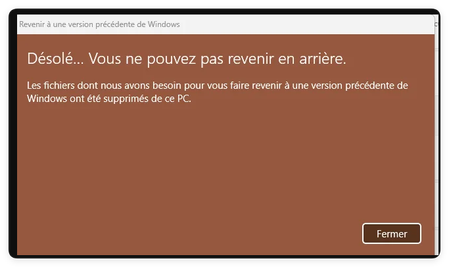
Hello everyone, I can't seem to backtrack from Windows 11 to Windows 10. I have the windows.old folder but nothing works. Could you please help me.
- Mar 21, 2025
Hey! If you still have the windows.old folder and it's been less than 10 days since upgrading, go to:
Settings > System > Recovery > Go back
If the "Go back" option is greyed out, the rollback period has expired, or system files were altered. In that case, you’ll need to clean install Windows 10 using a bootable USB. Backup your data first!

SorenLake
Mar 21, 2025Iron Contributor
Hey! If you still have the windows.old folder and it's been less than 10 days since upgrading, go to:
Settings > System > Recovery > Go back
If the "Go back" option is greyed out, the rollback period has expired, or system files were altered. In that case, you’ll need to clean install Windows 10 using a bootable USB. Backup your data first!
- ElioBlazeMar 23, 2025Iron Contributor
Thank you, your solution worked for me!
