Forum Discussion

LuckyC14
May 29, 2026Copper Contributor
Displays Going to Sleep
Set up a new PC at work (I'm the network admin). We have a power plan we apply to all PCs (same one that was on my last PC). On this computer, however, whenever I lock my PC (using Win+L), within 30 ...
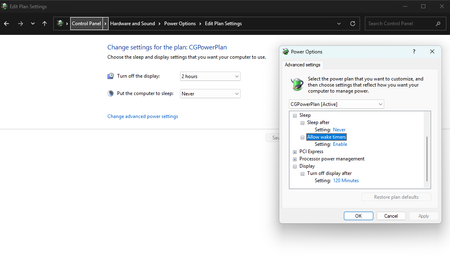

lkadirozcan
May 31, 2026Brass Contributor
Hi LuckyC14,
If you're certain the power plan is identical to the one used on your previous PC, I'd start looking at settings outside of the standard power plan.
One thing that comes to mind is the "Console lock display off timeout" setting, which can affect how quickly displays turn off after locking the PC. Group Policy settings are also worth checking if this is a managed environment.
I'd also compare the output of `powercfg /q` between the old and new machines to see if there are any differences that aren't obvious in the Power Options UI.
Is this Windows 11, and is the PC joined to a domain? That might help narrow things down.
Regards,
Kadir O.