Forum Discussion

Disable automatic driver installation on Windows PC
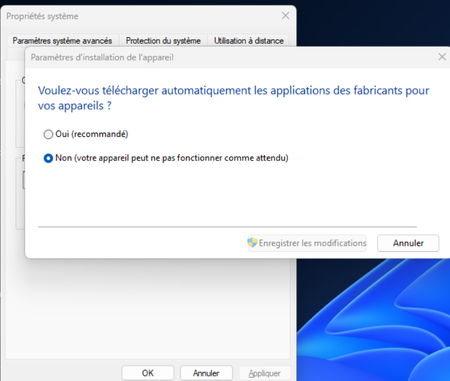

Disabling automatic driver installation can make sense in some specific scenarios, but it’s not always ideal as a long‑term configuration. Windows Update generally provides stable, WHQL‑certified drivers, and these are often the safest choice for most hardware.
What you should update manually are the components where manufacturers release frequent optimizations or fixes:
- GPU drivers (NVIDIA / AMD / Intel)
- Chipset drivers (Intel / AMD)
- Storage / SATA / NVMe controllers
- Network adapters (Wi‑Fi / Ethernet)
These are the drivers where OEM updates can bring better performance or stability than the generic Windows versions.
For the rest (audio, Bluetooth, HID, sensors, printers…), the Windows Update versions are usually perfectly fine and more stable over time.
If you prefer a balanced approach, you can keep automatic driver installation enabled and only override the critical components manually when needed.