Forum Discussion

CPU, RAM, and disk usage right after boot – nothing even open yet
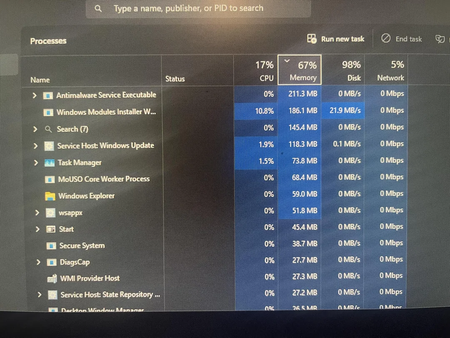

Those percentages immediately after sign-in do not prove a fault. Windows may still be loading startup applications, scanning with Microsoft Defender, installing updates, indexing files, and caching data. With 8 GB of memory, 60–70 percent usage can also be normal depending on background software. Wait ten minutes without opening applications, then use Task Manager’s Processes tab to sort separately by CPU, Memory, and Disk. Record processes that remain high rather than ending unfamiliar Windows services. Check Startup apps and disable only nonessential third-party entries, restart, and compare. Install pending Windows and optional driver updates, verify the SSD has adequate free space, and run a full Windows Security scan. If disk or CPU stays high, perform a clean boot to separate Windows components from third-party software. Post the process names, Windows build, disk active time, and memory composition; those details are needed before recommending hardware changes.