Forum Discussion

can not start phone link
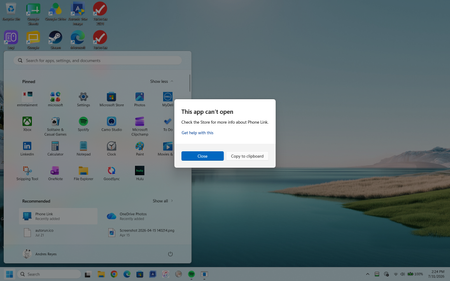

The screenshot shows Phone Link failing to launch with “This app can’t open,” so the problem points to the PC app or Store package, not phone pairing. Since reinstalling did not clear it, open Settings > Windows Update, install pending updates, and restart. Then open Microsoft Store > Library > Get updates and let Store and Phone Link finish updating. Next go to Settings > Apps > Installed apps > Phone Link > Advanced options. Select Repair and test; if it still fails, select Reset, restart, and test again. If the message remains, press Windows+R, run wsreset.exe, wait for Microsoft Store to reopen, then return to Library and reinstall Phone Link once. Do not repeat pairing steps until the app opens normally. If it still cannot open, submit the screenshot and Windows build through Feedback Hub and Microsoft Support; the message alone does not identify the damaged package or dependency.

I followed the instructions. When I go to library I see a lot of apps, including phone link, that say “Something went wrong”. I click on “Retry” it starts a download. It downloads some and goes back to something went wrong. If I click on retry again it resumes the download and it downloads another .8 mb or so and then back to something went wrong. It looks like something is wrong with the store. What should I do? By tge way, I checked and I have tons of space on the C drive