Forum Discussion

MaverickNexus
May 20, 2026Steel Contributor
ASUS Windows 11 laptop displays a blue screen after resetting BitLocker and cannot enter Safe Mode
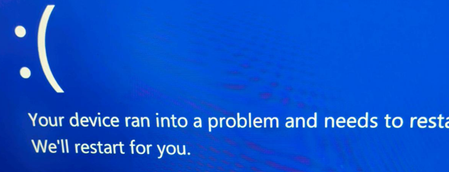
The computer's indicator lights are working normally, but the screen won't turn on. After consulting with support, I reset BitLocker. When I entered the unlock key, the system displayed a blue screen...

Alexx0
May 22, 2026Brass Contributor
Does Win RE (Recovery mode) still works? If yes, then go to Troubleshooting-->More options (Advanced options)-->command prompt (enter password of an admin account if needed)-->notepad-->file-->open(save, save as also works) then save everything you need and reinstall.
- Alexx0May 22, 2026Brass Contributor
And also, what is the stop code? You showed us the message, but not the QR code or the stop code. If it's something system and not component related, then go to the command prompt in Win RE (again if works) And type sfc /scannow. It also can be updates. You can go to more options-->revert updates. If it's not among the six buttons, click the text bellow "More troubleshooting options". Good luck!