Forum Discussion

Workflows - Posting a Card

 Microsoft
RayN925 -
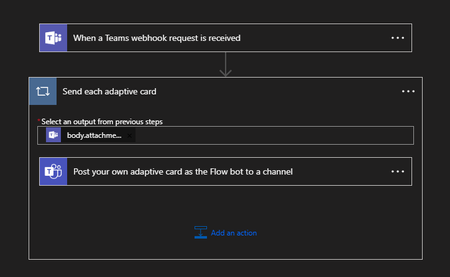
1.If you want to send by using option 'Flow bot', it will send as below:
If you want the sender's name only to be reflected without via Workflows text, you can choose below option while setting up/editing the workflow. User's image
This will send the card as below:
2.Currently there is no way to change the preview for the messages (in the notification popup and Activity screen). It will show as 'Card' which is by design.
Thanks,
Prasad Das
------------------------------------------------------------------------------------------
If the response is helpful, please click "**Mark as Best Response**" and like it. You can share your feedback via Microsoft Teams Developer Feedback link. Click here to escalate.

Have there been any updates related to the display of these workflow cards in the activity feed?
This entire forced transition to Workflows has been pretty terribly done all around and this is just another loss in functionality / step backwards that has seemingly not been addressed by Microsoft.
- mattgyverApr 28, 2025Tin Contributor
"This entire forced transition to Workflows has been pretty terribly done all around"
Agreed.... With the 365 connector, we were able to see HELPFUL information right in activity feed and notifications. Having to go into each to see information may not sound like much additional work, but it really does affect things.
