Forum Discussion

Viva Engage cannot authenticate on Teams Desktop App in my custom App

 Microsoft
Hello DanielWigger - We are checking this with engineering team and let you know the updates.
Meanwhile, could you please share the repro steps, so that we can try to repro it?

 Prasad_Das-MSFTJun 13, 2024
DanielWigger - This is not supported.
- First of all, you should be using the Viva Engage app to embed Engage content in Teams rather than roundtripping through SharePoint:
https://teams.microsoft.com/l/app/db5e5970-212f-477f-a3fc-2227dc7782bf?source=app-details-dialog - Second of all, the only officially supported mechanisms for integrating SharePoint content in Teams are the built-in SharePoint, SharePoint Pages, and Lists apps as documented here:
https://support.microsoft.com/en-us/office/add-a-sharepoint-page-list-or-document-library-as-a-tab-in-teams-131edef1-455f-4c67-a8ce-efa2ebf25f0b
Or Viva Connections for a portal experience:
https://learn.microsoft.com/en-us/viva/connections/edit-viva-home#choose-the-default-landing-experience-for-viva-connections-desktop
Using custom apps is only supported for SPFx-based solutions and in that case, very specific guidelines need to be followed when creating the app manifest:
https://learn.microsoft.com/en-us/sharepoint/dev/spfx/deployment-spfx-teams-solutions#developer-provided-microsoft-teams-app-manifest--packageThe most important requirements are:
- The TeamsLogon.aspx redirect should be used to handle authentication. For the sample app provided in this IcM ticket, the contentUrl should look like this:
https://{teamSiteDomain}/_layouts/15/TeamsLogon.aspx?SPFX=true&dest=/sites/CustomerSite.aspx - A webApplicationInfo section should be added to the manifest that looks like so:
"webApplicationInfo": {
  "resource": "https://{teamSiteDomain}",
  "id": "00000003-0000-0ff1-ce00-000000000000"
}
Hence, please either use Viva Engage or one of the supported mechanisms for pinning SharePoint content into Teams.Thanks,
Prasad Das
------------------------------------------------------------------------------------------
If the response is helpful, please click "**Mark as Best Response**" and like it. You can share your feedback via Microsoft Teams Developer Feedback link. Click here to escalate.
- First of all, you should be using the Viva Engage app to embed Engage content in Teams rather than roundtripping through SharePoint:
- Prasad_Das-MSFTJun 06, 2024
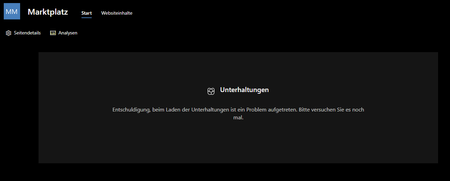
DanielWigger - We tried to repro this issue at our end and observed below behaviour.
We have raised a bug for the same. We will inform you once we get any further update from engineering team.
Thanks,
Prasad Das