Forum Discussion

Teams app update stuck in Certification for almost three weeks
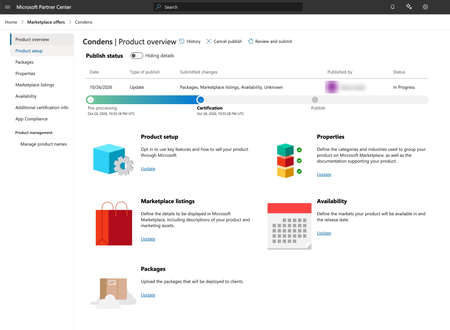

Three weeks at 'Package availability' is past stuck, not just slow — Partner Center's own estimate for that step is under five business days, and the Teams docs don't publish a separate timeline for that intermediate stage, so there's nothing to wait out.
The channel that actually gets this tracked is a Partner Center support ticket, not email. Microsoft Learn's Partner Center account FAQ for Teams publishers says to go through the publishers support page and, if the guidance there doesn't help, create a Partner Center support ticket. Put the product ID (WA200008643), the October 26 submission date and the exact step — 'Package availability' under Certification — in it, so it lands with the right team.
Then, because it's already been more than seven business days: the same FAQ has a specific follow-up for a ticket with no update in seven business days — email email address removed for privacy reasons with the subject 'Partner Center Account Issue for Condens', and include the support ticket number, your seller ID and a screenshot of the stuck status. If the email you sent on November 9 went to that address without a ticket number attached, that would explain the silence — the ticket comes first, the email is the chase for the ticket.
I'd hold off resubmitting the same package while the ticket is open, since that would start a fresh certification run. The ticket plus that follow-up email is the documented escalation route.