Forum Discussion

How to create a message Extension that does not require any additional parameters, no pop ups
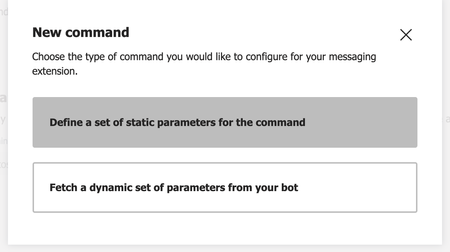

adamhouck A Message Extension can have two types of commands. Search-based and action- based. A search based command will let you search through a list and send the messages inside the compose box. An action based command opens up a popup that will take some action from the Message-Extension. If you do not want to have the pop-up experience you could use only search based commands.

I was able to get the desired functionality by having the following in my manifest.json file
"composeExtensions": [
    {
        "botId": "--Bot Id Here--",
        "canUpdateConfiguration": true,
        "commands": [
            {
                "id": "commandId",
                "type": "action",
                "title": "Command Title",
                "description": "",
                "initialRun": true,
                "fetchTask": false,
                "context": [
                    "message"
                ]
            }
        ]
    }
], abhisheksrivastavaDec 28, 2021Copper Contributor
adamhouckHi, i have created action based messaging extension in the same way as your post, it is working fine when i use the extension in group-chat/channel/team, but for one to one chat i'm getting both the popup and the submit response [which is the card pasted on message text area]. Could you please help me regarding this issue?
- motalibFeb 14, 2022Copper Contributor
yes, I am also facing same problem. Works fine in team/channel chat but not working in personal chat.