Forum Discussion

byungheesohn
Sep 24, 2024Brass Contributor
Question about MS Teams gloval variable created in developer portal
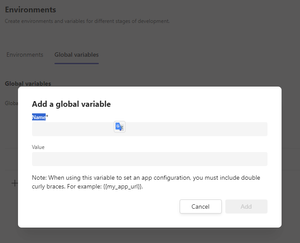
Dear Sir I'm developing Teams addin app to upload Microsoft Teams Store. In the MS Teams developer portal, I can created "Global variables" below. Is it read-only? can't I write, change that var...

Sayali-MSFT Microsoft
Sep 24, 2024Microsoftbyungheesohn - In the Microsoft Teams Developer Portal, the "Global variables" are primarily intended for use as configuration values that can be accessed across your app's different environments, but they are read-only once set within the portal.
You can configure environments and global variables to help transition your app from your local runtime to production. Global variables are used across all environments.
Unfortunately, you cannot update these global variables programmatically from within your app code. To modify them:
- Go to the Developer Portal.
- Update the values in the Global Variables section.
- Repackage and upload your app if needed.
Reference Document-Manage Apps with Developer Portal - Teams | Microsoft Learn

byungheesohn
Sep 24, 2024Brass Contributor
Dear Sir
Thank you so much for the confirmation
It's helpful for me.
Many thanks
BH
Thank you so much for the confirmation
It's helpful for me.
Many thanks
BH
- Sayali-MSFTSep 25, 2024byungheesohn- Could you please share your valuable feedback via Microsoft Teams Developer Feedback link.
https://forms.office.com/Pages/ResponsePage.aspx?id=v4j5cvGGr0GRqy180BHbR7iCOpS5_b9Nqmwx43u5rtZUOThVR081SllSR05aSDQxQ0tUMDVPTVIxTi4u