Forum Discussion

voonsionglum
May 11, 2022Brass Contributor
oAuth not working in Teams
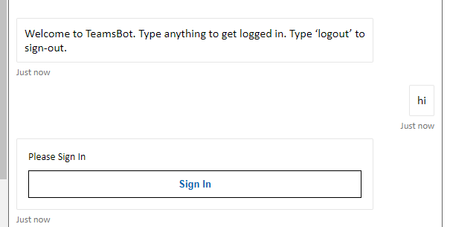
Hi, We are currently trying to figure out why oAuth has stopped working for our Bot in Teams. We went back to the javascript_nodejs botbuilder-sample 46.teams-auth and deployed the code to a cus...

Sayali-MSFT Microsoft
May 11, 2022Microsoftvoonsionglum-We are looking into this I will get back to you soon.

voonsionglum
May 11, 2022Brass Contributor
Thank You! I retested our app in Teams again today. Surprisingly, the Sign In button is now working on both Teams Web and Teams Desktop. I am starting to wonder if Teams require a "refresh" period to take the configured validDomains into account. Similar to the "Please allow 30 minutes for changes to bot settings to be reflected in all regions. Changes to icons may take up to 24 hours." message we get when we try to update the Bot profile in Azure, maybe the manifest's validDomains configuration also require time for the settings to kick-in?
It would be great if we can get confirmation from Microsoft.
It would be great if we can get confirmation from Microsoft.
- Sayali-MSFTMay 12, 2022voonsionglum- Glad to hear that your issue is resolved. We have asked engineering team for confirmation. We will update you.
- Sayali-MSFTJun 02, 2022voonsionglum- If the user makes an app related change such as install or uninstall app or visits apps store 4 hours after the last update or re-login to Teams, the app definitions updates will show up on web & desktop client. If none of the above actions are taken, it takes up to 7 days for the cache to refresh. We have a change in flight which will reduce the 7 days period to a lesser and more deterministic timeframe.
- voonsionglumJun 02, 2022Brass ContributorThanks for the information!