Forum Discussion

Not able to fetch the status of user from Teams using graph client

 Microsoft
Hello Lakshmi_145 - Thanks for raising your query.
Please find below solution:
1) Please pass the AAD Object Id of user rather than email id while calling the API:
Like below:
https://graph.microsoft.com/v1.0/users/66825e03-7ef5-42da-9069-724602c31f6b/presence
Reference doc: Get presence - Microsoft Graph v1.0 | Microsoft Learn
Because you are passing wrong id, it is returning result as "PresenceUnknown".
2) Secondly, please add scope in your scope variable as "Presence.Read".
Please let us know if you still need any further help here.
Could you please share your valuable feedback via Microsoft Teams Developer Feedback link.
 Lakshmi_145Nov 19, 2023Iron Contributor
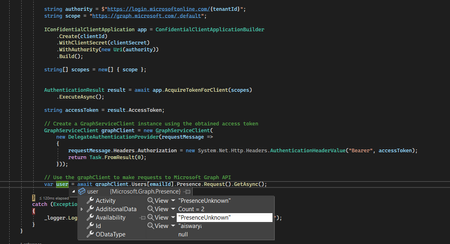
We have updated the code to add the scope Presence.Read in scopes.
try
            {
                var clientId = "#client id";
                var clientSecret = "# client secret";
                var tenantId = "# tenant id";

                string authority = $"https://login.microsoftonline.com/{tenantId}";
                string scope = "https://graph.microsoft.com/.default";

                IConfidentialClientApplication app = ConfidentialClientApplicationBuilder
                    .Create(clientId)
                    .WithClientSecret(clientSecret)
                    .WithAuthority(new Uri(authority))
                    .Build();

                string[] scopes = new[] { scope, "Presence.Read" };


                AuthenticationResult result = await app.AcquireTokenForClient(scopes)
                    .ExecuteAsync();

                string accessToken = result.AccessToken;

                // Create a GraphServiceClient instance using the obtained access token
                GraphServiceClient graphClient = new GraphServiceClient(
                    new DelegateAuthenticationProvider(requestMessage =>
                    {
                        requestMessage.Headers.Authorization = new System.Net.Http.Headers.AuthenticationHeaderValue("Bearer", accessToken);
                        return Task.FromResult(0);
                    }));

                // Use the graphClient to make requests to Microsoft Graph API
                var user = await graphClient.Users[connectionRequest.Requestor.User.AadObjectId].Presence.Request().GetAsync();

            }
            catch (Exception ex)
            {
                _logger.LogError(ex, "------------- There was an error while getting  status");
            }
And getting the below exception,
We are able to fetch the status by giving the correct token explicitly.
- ChetanSharma-msftNov 19, 2023
Lakshmi_145 - Please try to add only One scope and remove the other one.
Also, check if your generated token is having the same scope and check if it is working in Postman or Graph Explorer as well.- Lakshmi_145Nov 19, 2023Iron Contributor
We tried to give string[] scopes = new[] { "Presence.Read" };
and got the exception,