Forum Discussion

Image inserted in incoming webhook is not working for new Teams version.
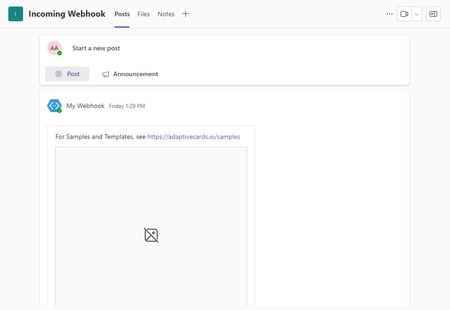


My customer is primarily using client version
The client version is 1415/23111630013.
You have Microsoft Teams version 23335.219.2592.8659.
- Meghana-MSFTJul 11, 2024Former EmployeeApologies for the inconvenience caused to you. We checked this with the engineering team and a requirement has been created to "Allow Sharepoint images to be rendered". Currently, we do not have any ETA to share regarding when this would be available.
- Meghana-MSFTFeb 11, 2024Former EmployeePlease note that any file referenced in Teams (e.g. in Adaptive Cards or similar) needs to be publicly / anonymously Internet accessible, so that Teams can fetch and cache a copy on your behalf. You'd need to make the image available from All Networks.
- JoelVezinaJan 22, 2024Copper ContributorTechnically, it's publicly available within the tenant of the user being targeted with the message with the image and adaptive card. The permission scope allows the user to load the image and it was previously loading correctly when using the previous version of Teams.
 Todd1561Jan 22, 2024Copper ContributorFYI this link isn't publicly available, when I click on it I get a "Forbidden" message. So I'm pretty sure that Teams won't be able to access it either. So I think this is an issue with your implementation and not Teams.
- JoelVezinaJan 22, 2024Copper Contributor
Image url refers to a location within a sharepoint intranet site. I'm using a SP news Banner image (which was workign previously)
"url" : "https://o365csdgs.sharepoint.com/_layouts/15/getpreview.ashx?path=%2FSiteAssets%2FSitePages%2FActualitC3A9---Nouvelle-3%2FCSSDGS-appel-candidature-CA_actualite02.jpg"
timestamp : 1/19/2024 4:09:44 PM - Meghana-MSFTJan 21, 2024Former Employee
JoelVezina - We mean the URL you give for the image. Also please share the timestamp when you post the image.
- JoelVezinaJan 19, 2024Copper Contributor
Still the same issue for my customer, even with new messages.
Meghana-MSFT which URL would you require? I tried providing direct link to message in the customer's environment but privacy rule is removing the URLVersion
The client version is 1415/23113028724.sent on January 19, 2024 4:09 PM - krodturntownJan 11, 2024Copper Contributor
Also the fix is not working for me either.
I found a workaround for Power Automate users, use the Get User Profile (v2), take the output and place it as the url for the image:
data:image/png;base64,@{outputs('Get_Submitters_Profile_Pic')}Version
You have Microsoft Teams version 23320.3027.2591.1505.You've got the latest version. It was last updated on 1/11/2024.The client version is 49/23111630013. - Todd1561Jan 10, 2024Copper ContributorOK I didn't realize this would only fix new messages. I can confirm now that newly submitted messages are working. Good enough for me, thanks for keeping us in the loop!
- Todd1561Jan 10, 2024Copper Contributor
Meghana-MSFT I think the bigger issue is I’m not able to update to the version you’re on. See my earlier message with my version info, Teams says I’m up to date, but it’s older than yours. So presumably I’m on an older release that doesn’t have the fix.
- Meghana-MSFTJan 10, 2024Former Employee
JoelVezina , Todd1561 - Could you please provide the url you used to post the image and timestamp? Team will need these to look up the backend logs.