Forum Discussion

How to create a message Extension that does not require any additional parameters, no pop ups

Click “Settings”.
Scroll to the bottom and click “Advanced”.
In the Privacy and Security section, scroll down and click “Content Settings”.
Click “Notifications”.
 adamhouckMay 26, 2020Tin Contributor
Lewis-H. Thanks for the reply but I think you are misreading my question. The popup is part of the teams flow right now, and I believe mandatory.
Even if changing this setting in Chrome prevented the popup it would break the teams logic flow as far as I can tell. Also I wouldn't be able to force every customer who downloads the app to enable this. In addition, I assume most users would be on Mobile or use the Teams dedicated app.
 Gousia_BegumMay 26, 2020Former Employee
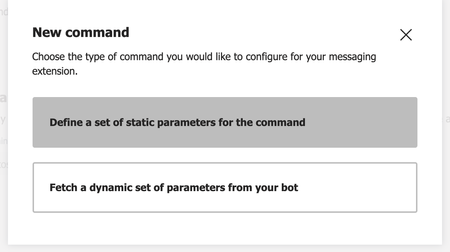
adamhouck A Message Extension can have two types of commands. Search-based and action- based. A search based command will let you search through a list and send the messages inside the compose box. An action based command opens up a popup that will take some action from the Message-Extension. If you do not want to have the pop-up experience you could use only search based commands.
- adamhouckJun 02, 2020Tin Contributor
I was able to get the desired functionality by having the following in my manifest.json file
"composeExtensions": [
    {
        "botId": "--Bot Id Here--",
        "canUpdateConfiguration": true,
        "commands": [
            {
                "id": "commandId",
                "type": "action",
                "title": "Command Title",
                "description": "",
                "initialRun": true,
                "fetchTask": false,
                "context": [
                    "message"
                ]
            }
        ]
    }
],