Forum Discussion

How can I trigger actions when the close (X) button is clicked in a dialog?
 Aug 13, 2024
Sean17 -Currently, there isn't a direct event for the close button itself, you can handle the dialog's lifecycle through the Teams SDK.
Here's how you can detect when the dialog is closed (including via the close button) and trigger an API call in a React application:
Ensure you have the Microsoft Teams JavaScript SDK installed and initialized in your React application.
Use themicrosoftTeams.tasks.startTaskmethod to open the dialog and handle its closure. The closure can be detected in the callback function provided tostartTask, which will handle both cases when the dialog is submitted or closed.Example Implementation in React
-
Install the SDK: Ensure you have the SDK installed via npm if you haven't already:
npm install @microsoft/teams-js -
Open Dialog and Handle Closure:
jsximport React from 'react'; import * as microsoftTeams from '@microsoft/teams-js'; const MyComponent = () => { const handleOpenDialog = () => { microsoftTeams.initialize(); microsoftTeams.tasks.startTask({ title: "My Dialog", height: 300, width: 400, url: "https://your-web-app-url.com", // URL to your web app or React component }, (result) => { if (result) { // Dialog was submitted, handle the result if necessary console.log("Dialog was submitted with result:", result); } else { // Dialog was cancelled or closed console.log("Dialog was cancelled or closed."); handleApiCall(); // Trigger API call on dialog close } }); }; const handleApiCall = async () => { try { const response = await fetch('https://your-api-endpoint.com/trigger', { method: 'POST', headers: { 'Content-Type': 'application/json', }, body: JSON.stringify({ message: 'Dialog closed' }), }); const data = await response.json(); console.log("API call successful:", data); } catch (error) { console.error("Error during API call:", error); } }; return ( <div> <button onClick={handleOpenDialog}>Open Dialog</button> </div> ); }; export default MyComponent;
-
 Microsoft
Sean17 -Are you looking for the same?
Here is sample-
Microsoft-Teams-Samples/samples/app-task-module/nodejs at main · OfficeDev/Microsoft-Teams-Samples (github.com)
If no, then could you please elaborate more on your requirement.

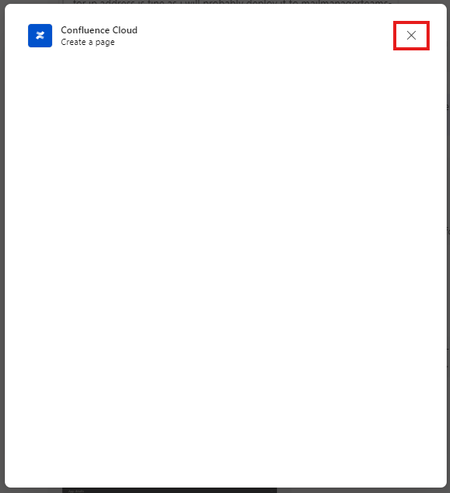
Sayali-MSFTThe documentation provided doesn't cover what I'm looking for. My question is are there any methods or functions such as those from @microsoft/teams-js, that can detect when the 'X' close button on a dialog triggered by messaging extension(highlighted in red below) is clicked. My application is running in teams messaging extension with embedded web view.
- Sayali-MSFTAug 13, 2024
Sean17 -Currently, there isn't a direct event for the close button itself, you can handle the dialog's lifecycle through the Teams SDK.
Here's how you can detect when the dialog is closed (including via the close button) and trigger an API call in a React application:
Ensure you have the Microsoft Teams JavaScript SDK installed and initialized in your React application.
Use themicrosoftTeams.tasks.startTaskmethod to open the dialog and handle its closure. The closure can be detected in the callback function provided tostartTask, which will handle both cases when the dialog is submitted or closed.Example Implementation in React
-
Install the SDK: Ensure you have the SDK installed via npm if you haven't already:
npm install @microsoft/teams-js -
Open Dialog and Handle Closure:
jsximport React from 'react'; import * as microsoftTeams from '@microsoft/teams-js'; const MyComponent = () => { const handleOpenDialog = () => { microsoftTeams.initialize(); microsoftTeams.tasks.startTask({ title: "My Dialog", height: 300, width: 400, url: "https://your-web-app-url.com", // URL to your web app or React component }, (result) => { if (result) { // Dialog was submitted, handle the result if necessary console.log("Dialog was submitted with result:", result); } else { // Dialog was cancelled or closed console.log("Dialog was cancelled or closed."); handleApiCall(); // Trigger API call on dialog close } }); }; const handleApiCall = async () => { try { const response = await fetch('https://your-api-endpoint.com/trigger', { method: 'POST', headers: { 'Content-Type': 'application/json', }, body: JSON.stringify({ message: 'Dialog closed' }), }); const data = await response.json(); console.log("API call successful:", data); } catch (error) { console.error("Error during API call:", error); } }; return ( <div> <button onClick={handleOpenDialog}>Open Dialog</button> </div> ); }; export default MyComponent;
- Sayali-MSFTAug 21, 2024Sean17 - Could you please share your valuable feedback via Microsoft Teams Developer Feedback link.
https://forms.office.com/Pages/ResponsePage.aspx?id=v4j5cvGGr0GRqy180BHbR7iCOpS5_b9Nqmwx43u5rtZUOThVR081SllSR05aSDQxQ0tUMDVPTVIxTi4u
-