Forum Discussion

Display choice prompt as a Drop down list in teams
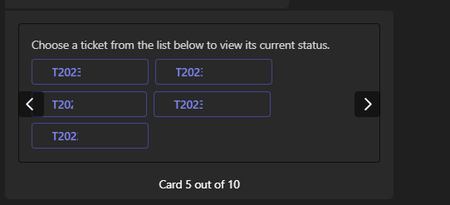

I wanted to display the ticket list in a dialog, so using an adaptive card prompt can't achieve it as we need to provide the ticket list while initializing the dialog. But the ticket list will be updated dynamically.
Is there any possible way in which we can use an adaptive card with a dynamic list and wait for the user's response.

 Microsoft
-
Create an Adaptive Card with a dynamic list: You can use the
Input.ChoiceSetcomponent in the Adaptive Card to create a dynamic list of options for the user to choose from. The options can be loaded dynamically from a data source or API. You can also use the typeahead search functionality to filter the choices as the user types. -
Use a message extension to send the Adaptive Card: You can use a bot or a message extension to send the Adaptive Card to the user in a conversation. The message extension can be triggered by a command or a button click. The Adaptive Card will be displayed to the user as a rich visual element within the conversation.
-
Handle the user's response with a task module: When the user selects an option from the dynamic list in the Adaptive Card, you can handle their response by opening a task module. A task module is a modal pop-up experience that allows the user to interact with your app in a separate window. You can use the task module to collect additional information from the user or perform any necessary actions based on their selection.
-
Retrieve the user's response: Once the user completes the task module, you can retrieve their response and process it accordingly. The response can be sent back to your bot or app for further processing or to update the conversation.