Forum Discussion

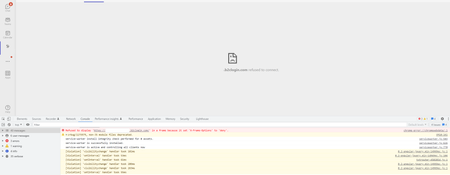
Azure B2C in a frame because it set 'X-Frame-Options' to 'deny'.

So, here is the answer..
If there is any SSO history , you must use incognito/inPrivate to make it clean so your login looks like:
instead of a list of previously-used SSOed logins.. Or in your case, third-party auth logins..
The x-frame-options=deny is rightfully there for security reasons in the response from the auth provider (in my case, login.microsoftonline.com) to not show a login page in an iFrame..
So, in order for you to get around that, if you fire up Edge incognito mode where there is no history you will only have the currently-logged-in user in SSO history and thus no need for the auth provider to ask "which of these should we use?"
In my research in solving this for myself I came across something about login_hint that I didn't understand fully but also didn't care because it wasn't my calls to adjust; in my case it was a third-party app running in an iFrame.. Just maybe that helps someone out.. That's why I posted this here hopefully it pops in search results because there are a lot of "me too" posts from years about this and I couldn't find THIS answer anywhere...