Forum Discussion

About Task Module (startTask()
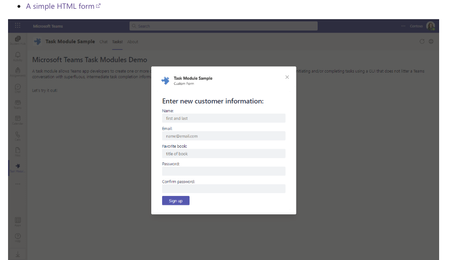

Thanks for your reply.
The reason why I want a full screen is one step login.
If we use a deep-linking to go our server, we need two steps. It's not good for customers.
Simply after moving our tab app, we want to face with the login screen below.
Once we do login, we want to see main app without login, even if we move to other tabs (ex Activity, Chat, Teams..).
Dialog input can be the same feature. However, from a product perspective, the screen below that can include our company's design is better than dialog input. I think Dialog is not common for most first screen.
Otherwise, if it is possible to enlarge the Dialog screen to fit the main screen even if I resize Teams screen, It can be a solution. Is it possible?
Many thanks
BH

 Microsoft
@byungheesohn, as i mention above, Microsoft Teams does not natively support a true full-screen mode for Task Modules. Task Modules are designed to open as modal dialogs, which include the Teams UI elements. This limitation means that achieving a completely full-screen experience within Teams is not possible.
While you cannot make a Task Module truly full-screen, you can maximise its size to fit most of the screen. This can be done by setting the height and width properties of the Task Module to larger values. However, it will still be constrained by the Teams UI elements around it.
To better achieve your requirements, we recommend submitting this feature request through the Teams Feedback Portal. This is the best way to ensure your idea is considered for future updates.
- BHSNov 26, 2024Brass Contributor
Thank you so much.
As I mentioned, we need to go a specific server of several servers with the same features, so we are considering "Task Module" without additional hosting server.
That is, if we use "Task Module", which provide "server URL" and if necessary, id/pw input for login credentials. And "Task Module" must be run on MS Teams itself.
Without "Task Module", can we make a web application by using MS Teams UI component lib? And that app must be run on MS Teams Tab like a static tab app.Is it possbile?
Many thanksBH
- Sayali-MSFTNov 27, 2024
You can refer this sample-
1. Microsoft-Teams-Samples/samples/tab-nested-auth/csharp at main · OfficeDev/Microsoft-Teams-Samples
2.Microsoft-Teams-Samples/samples at main · OfficeDev/Microsoft-Teams-Samples