Forum Discussion

john john
Dec 18, 2018Steel Contributor
What exactly happen when users Follow a site
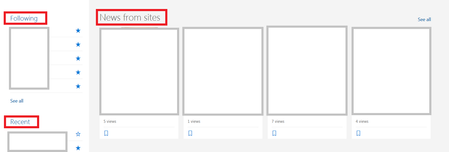
I read many articles about what happens when we follow a site in sharepoint online, i found those main 2 benefits:- 1. The sites will appear under the "Following" section on the SharePoint home page...

Thuyavan Ganesan
Dec 18, 2018Steel Contributor
Hi John,
Good to hear from you.
Follow Sites has many other benefits than just search , its driven by the Office Graph internally
It’s a kind of bookmark and Quick link, you can easily find the site that you liked.
Sites When you copy files from one site/library to another. You get to presented with a short list of sites of your followed sites these sites are listed based on Office Graph. So you don’t have to search the site to copy a single file.
When it comes to Mobile apps SharePoint or Onedrive app its not that easy to search or work like a desktop , these followed sites will be listed under user-built hierarchical menus.
When you have 1000 of sites in your portal, when you try to do “save as” a file you don’t have to go through searching for several sites to save them if you have the followed list of sites
By following a site, you tell SharePoint modern search (Office Graph) that the site and its content are important. So anytime you do a search from SharePoint Home or Office 365 Home or Delve, content from followed sites is prioritized.
Good to hear from you.
Follow Sites has many other benefits than just search , its driven by the Office Graph internally
It’s a kind of bookmark and Quick link, you can easily find the site that you liked.
Sites When you copy files from one site/library to another. You get to presented with a short list of sites of your followed sites these sites are listed based on Office Graph. So you don’t have to search the site to copy a single file.
When it comes to Mobile apps SharePoint or Onedrive app its not that easy to search or work like a desktop , these followed sites will be listed under user-built hierarchical menus.
When you have 1000 of sites in your portal, when you try to do “save as” a file you don’t have to go through searching for several sites to save them if you have the followed list of sites
By following a site, you tell SharePoint modern search (Office Graph) that the site and its content are important. So anytime you do a search from SharePoint Home or Office 365 Home or Delve, content from followed sites is prioritized.