Forum Discussion

Brent Ellis
Nov 06, 2017Silver Contributor
Weird CSS on modern pages?
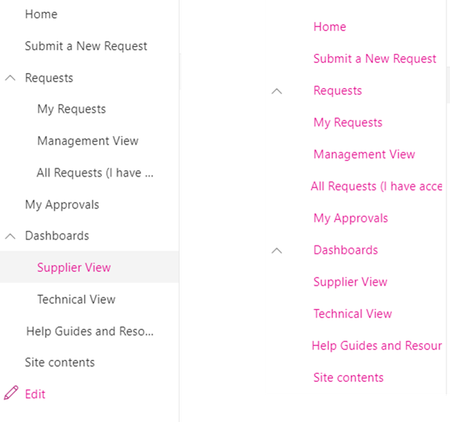
Anyone else seeing weird CSS formatting on modern pages? It looks right on lists/libraries (left), by my pages are all wonky now (right). Same thing in multiple browsers, and cache clears dont d...

Deleted
Nov 06, 2017Not applicable
You may have the new Theme options they are pushing, check your Them on the "Change the look" option on your modern page, the update may have changed the way the menu's look as a whole, but you have more customization options now you should be able to pick another one and it may give you something you like.

CatherineB
Nov 09, 2017Iron Contributor
Where would one find the "Change the look" option? I suspect we do not have it yet, but want to make sure.
Does it let us change Hero web part colors?
- DeletedNov 09, 2017Not applicableThe hero webpart doesn't have colors? If you talking about the Tiles then that is configured per tile under the photo property.
The change the look option is when you are on a modern page, the cog wheel at top right, at bottom is "Change the Look" at least it should be :P. There is a very basic version out now, but they are starting to push one that has a few more options.- CatherineBNov 13, 2017Iron ContributorYes, the tile colors. I do see "Change the Look" under settings, but it does not seem to have an impact on the tile color. Plus we do not need to change the entire look, just the tile colors. Hopefully it will be an option in the future. Thanks.
- DeletedNov 13, 2017Not applicableWhen you edit a cell in hero web part you can change the color of the tile under the tile settings.
- Brent EllisNov 10, 2017Silver Contributor
In the end, I blew away the page, and recreated it and it displays fine now.
It seemed to be an issue with the 1 particular page on the site for whatever reason.
