Forum Discussion

Webdav mount of shared folder in OneDive (with onpremisse sharepoint 2016)
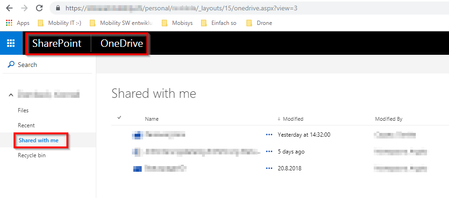

Hello Konrad
For Shared folders you should have download and both move to and Copy to options enabled. You could download to PC using Download option and use either Move to or Copy to options to copy the folder from Shared View to other sites. Do you see this options in your Shared With Me view?

 Konrad DambeckOct 04, 2018Copper Contributor
Hi SPO
First of all thank for your time and the reply you send.
Yes we have also the "copy to" and "move to" button, and <saveMyItHonor> we saw them :-) <saveMyItHonor>.
The Problem is that this dialog shows only the shared OneDrive. Not the drive of Bob :-(
In the meantime, we also figured out, that when we use the "classic Desing" (link lower left "Return to classic OneDrive" then Bob see also his folders and the Task can be accomplished. Alice and his(her) real-live companion are now basically happy.
But it would be very nice to find the root cause, or at least confirm that it's working as designed.
Cheers konrad