Forum Discussion

Viva connections in teams hubsite - not displaying in chrome
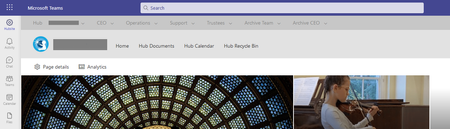

I tried with another account and had the same result. To be honest this has been happening for ages on all my tenancies - I've been telling people to avoid Chrome. So I'm curious why it isn't working for us.
I have cleared the cache. I log in using in private browsing. And I'm not getting this issue with edge, ff, opera or brave.
Ok tested some more and it only happens when I use incognito in chrome, which is good to know. I'm in and out of tenancies, so I always use private browsing. I can access the hub in private in all the other browsers. Do you have any idea why Chrome is problematic? Thank you again!
- ganeshsanapAug 25, 2023MVP
Victoria Symons I am not exactly sure what is the issue with the Google chrome. But, I have seen such issues while using Microsoft Teams in chrome incognito windows - different issues like asking for login again and again or teams web site loading for hours and not showing anything, etc.
So, I prefer using different chrome profiles for different M365 tenants. You can consider using the chrome profiles for such scenarios, it has multiple benefits while using different tenants on same computer. Check: Use Chrome with multiple profiles
Note: Multiple profiles feature is also available in Microsoft edge: Sign in and create multiple profiles in Microsoft Edge
Please click Mark as Best Response & Like if my post helped you to solve your issue. This will help others to find the correct solution easily. It also closes the item. If the post was useful in other ways, please consider giving it Like.
