Forum Discussion

RobinD2400
Sep 13, 2019Copper Contributor
Using "Connected Lookup Field" column
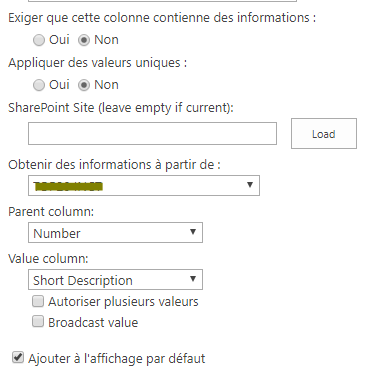
Hi, While using SharePoint 2016, I want to fill a column inside a list with information depending on an other list. I tried to use "Connected Lookup Field" column, but the result column is bl...

RobinD2400
Sep 16, 2019Copper Contributor
I do not use "Lookup column" because I do not manage to use it. When I create a "Lookup" column, I select the reference list I want and then the column which is the same as the one in my second list; I also try to add others fields to see if it can be filled.
But finally, the columns are empty.

Rachel_Davis
Sep 17, 2019Steel Contributor
This is how a standard lookup column works for me:
- Create source list and add values that should appear in the dropdown
- In master list, create column > type = Lookup > select source list > select field for values
- Add/Edit items and select values from dropdown
I can't tell why you have no values in your screenshot. Do you have values in your source list? Have you edited the existing list items to select the value in the dropdown?
Create lookup columnedit existing item to select from dropdownValue displayed in list