Forum Discussion

Using "Connected Lookup Field" column
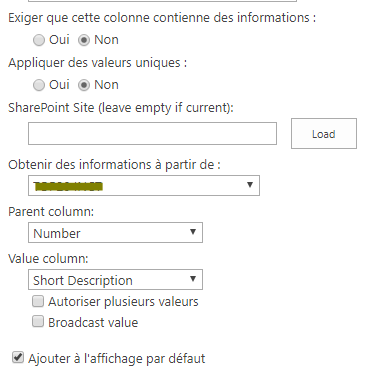

Assuming both lists are on the same site, I'm not sure why you aren't using a regular lookup column. From there, it's pretty basic. But understand that only simple text fields (single line of text, date, etc.) are available in a lookup column. So you can't look up to a people field or calculated column. I've gotten tripped up by field type many times. 😞
Depending on what you're looking up to, another option might be to use managed metadata. That would give you the option to lookup against the same list of values across multiple sites. So if you have a list of business units, create it as a managed metadata column and then reuse that column across your site collection or even at the enterprise level.

I do not use "Lookup column" because I do not manage to use it. When I create a "Lookup" column, I select the reference list I want and then the column which is the same as the one in my second list; I also try to add others fields to see if it can be filled.
But finally, the columns are empty.
- Rachel_DavisSep 17, 2019Steel Contributor
This is how a standard lookup column works for me:
- Create source list and add values that should appear in the dropdown
- In master list, create column > type = Lookup > select source list > select field for values
- Add/Edit items and select values from dropdown
I can't tell why you have no values in your screenshot. Do you have values in your source list? Have you edited the existing list items to select the value in the dropdown?
Create lookup columnedit existing item to select from dropdownValue displayed in list