Forum Discussion

Upload documents and create links in modern pages
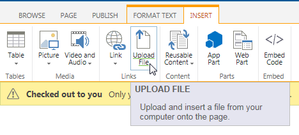

Did not even know these options that said i thought it is possible to upload directly into a news item which automaticly stores the picture in the siteassets library.
Correct me if i am wrong on this one.

The problem I have is that the file viewer puts the file in a different location - Share Documents root - and this is not consistent with the picture uploads. So my thoughts would be that the file viewer should upload files into the same siteassets location as the pictures get uploaded.
It would also be good if the file viewer had an option to show a link rather than the file - and then if you have 2 or more files, they show nicely on the page. Yes, we can add hyperlinks into text webparts, but the files need to have been uploaded first.
I can't find anything like this on uservoice, so probably need to add these?
 Rory2019May 27, 2020Copper Contributor
Pete Bostrom This is the only thread on this i can find, not sure if a solution was ever found. This is a baffling omission of functionality. Being able to upload a document 'on the fly' is an absolutely essential bit of functionality. Like you say, the only alternative is to use the "file viewer" webpart which takes up the entire page, or first upload the document then go back in an edit the page and use the "insert link" button. Both of these options are significantly worse than a simple "Upload file" feature, which is fundamental in every CMS i've ever used except this one.