Forum Discussion

 Microsoft
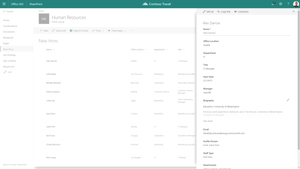
Update to forms in Modern Lists, including custom forms with PowerApps - coming soon!
 Microsoft
"Customize Forms" button is now available for all users in modern lists!
Our customers who are using vanity domains may not see the button pending support for Open ID Connect functionality for their environments. This support is expected by January latest. Please feel free to send me a private message with your tenant details if you are not seeing the button so we can investigate and get back to you.

Hello Kerem,
Is there any plans to support lists with multiple content types? When opening a list with multiple content types all of my fields across the content types are dumped into a single PowerApp Screen. I was trying to see if I could make multiple screens and use a rule based upon the content type to select the correct screen but haven't had any luck.
Any advice would be appreciated.
Thanks,
Jordan Burns
- Kerem YuceturkDec 15, 2017
Jordan Burns, we identified an issue where a performance optimization causes your custom forms to not launch if you happen to try to open the forms soon after a page loads. If you wait for a few seconds without clicking anything, and then click they should still open fine.
We have a fix in the works, and will try to get it out as soon as we can, sorry about the inconvenience this caused.
- Kerem YuceturkDec 14, 2017
Hi Jordan Burns, we are also aware of some reports from inside Microsoft that we are investigating that may be related. To be safe, please start a support ticket if you can, and feel free to let me know via private message where it goes so i can try to help.
 Jordan BurnsDec 14, 2017Copper Contributor
Is there a reason the pop-up form window wouldn't work on some lists? It seems sometimes I get a pop-up and sometimes I don't but I can't seem to figure out why it doesn't work. For example my list with multiple content types some of the content types pop-up in the form while some load to a new page. Is this something I should put in a support ticket for?
- Kerem YuceturkDec 14, 2017
Hi Jordan Burns, at the moment we don't have support for generating different pages for different content types on the list. We do, however, make the content type available as a column type so you can make changes to your form the way you want, but that leaves the work to you to make it happen. It should be doable with some work by showing/hiding the right columns based on what content type is picked. I'll try to get a sample app out with Audrie Gordon from the PowerApps team to demonstrate it!