Forum Discussion

UPDATE: SharePoint Online team sites + Office 365 Groups moving beyond First Release
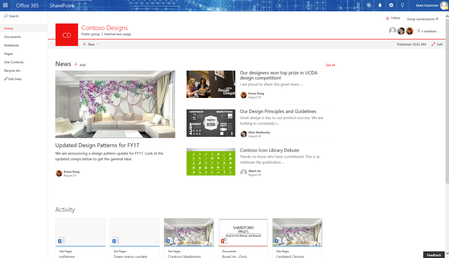

- Mark

That is easy:
- In SharePoint it is not intuitive to find the other products (the link to go back to Group conversations is there), but trying to find the Group calendar, or Files tab, or planner - you have to click the site title for the navigation box to show up
- In the Calendar, sometimes you end up just looking at the calendar and lose the actual Groups navigation
- In the Notebook, you can only go back to the SharePoint site, not anything else, so you end up making multiple hops if you want to go from one to another
- Outlook is missing Planner
- In SharePoint, if you click on the "Files" option it takes you to the Shared Documents library, NOT the new Files tab
- In SharePoint, no option to navigate to Planner
- There is no solid entry point to Groups - having an interface that shows (1) all groups you are a member of and (2) maybe a quick link to each service would be ideal, then we could tell users "you can get there a million ways, but here is a logical entry point for Groups as a destination"
Bottom line, the Groups navigation should be the same across the board so the user can quickly move between workloads. Our users are confused as hell
I just created a User Guide for our users and had to include this slide:
 Tejas MehtaJan 30, 2017
Microsoft
Thanks Brent! You have called out an area where we clearly have room for improvement. :)
There is some work in-flight already, the first of which is introducing a common 'Group Card' that each workload will use and will surface intra-group navigation, among other things.
We also have an effort underway where we are actively looking at opportunities to drive better 'coherence' across Office 365 Groups and navigation is one of the core topics we are exploring currently. We can share more details once we've landed on a model that works well across all group workloads.
 DeletedFeb 01, 2017
A message sent to us on 9th January via the admin center mentioned that SharePoint Online team sites integration with Office 365 Groups was starting worldwide rollout and that it is expected to be completed by the end of the month. It is now February and the site option via a group is still not visible for our users, only a handful of us on First release can see this. Messages sent out and actual work taking place on tenants are not matching up, this is not the first time I have experienced this do we know when this worldwide rollout is meant to finish?
 LincolnDeMarisFeb 01, 2017
Office365 Groups getting SharePoint Sites is fully rolled out to production at this point. Do you have a "Site" link in the group navigation in Outlook? Do you see a "Home" tab when you view group files in Outlook?
 Monique GagnerJan 27, 2017Copper Contributor
Thank you Brent for the visual! I just had this same conversation yesterday with our SharePoint team at my company. We aren't really sure how to explain navigation to them. One of the most disappointing parts for us is not having a single landing place where they can see all of their Groups, besides in Outlook. They are used to being able to go to SharePoint to see their "Teams." Everyone knows technology changes, and we have to learn new ways of doing things, but this scenario just makes it more difficult. I agree that it is not intuitive, and will be hard to explain to the users how to navigate throughout their new sites.
 Cyrus ChristianJan 27, 2017Brass ContributorWe need to be able to customize the features of a group....too many things they might not use that I want to hide, and other things I want to add. The Navigation on the new Modern page sis really really really poor. Please fix this so we can actually use it.
- Luke HoffmanJan 27, 2017Iron Contributor
Agree 100% with this. Our users are completely confused as well. It feels like to me Microsoft is trying too hard to not make a SharePoint team site the primary go to spot for a user. The perfect "portal" location is already there just make sure users can easily navigte to other components. Maybe this is the point of teams, but at this point I'm getting collaboration fatigue and am not willing to introduce yet another tool into our environment. It's much too difficult for users to select the appropriate tool. They do not have the time or patience to run down a list of requirements everytime they need to share a file.
- Jan 26, 2017Great stuff Brent!!! It clearly shows what you describe in your post and the reality of this inconsistency in Groups navigation accross workloads

